
Logitech MX Mechanical
By Logitech · Mechanical Keyboards · Home & Workspace
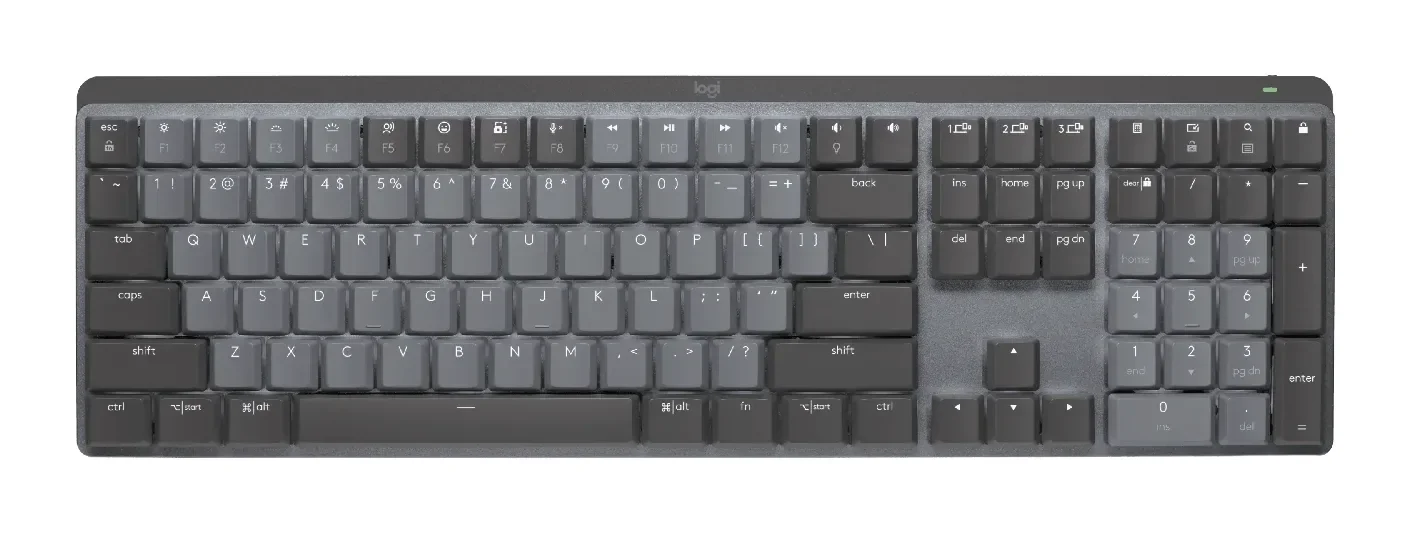
- Full-size low-profile mechanical switches (tactile quiet, linear, or clicky options)
- 3-device Bluetooth pairing with Logi Easy-Switch, plus Logi Bolt USB receiver
- Smart backlight auto-adjusts to ambient light and hand position
- Up to 15-day battery life, USB-C rechargeable
Lowest price seen
$179.99
from $179.99 at Logitech · Checked Sep 28, 2026
- Logitech $179.99View at Logitech
- Provantage $179.99View at Provantage
- Central Computer $179.99View at Central Computer
- Quill $193.99View at Quill
- CompSource $197.99View at CompSource
- NeweggView at Newegg
- Best BuyView at Best Buy
- eBayView at eBay
- WalmartView at Walmart
- TargetView at Target
- StaplesView at Staples
- Office DepotView at Office Depot
- B&H PhotoView at B&H Photo
- CDWView at CDW
- AVADirectView at AVADirect
- ZonesView at Zones
- AdoramaView at Adorama
- eBay (used) eBay: used, open-box, refurbishedView at eBay (used)
- AmazonView at Amazon
Prices are snapshots. Check the current price with the store.
Summary
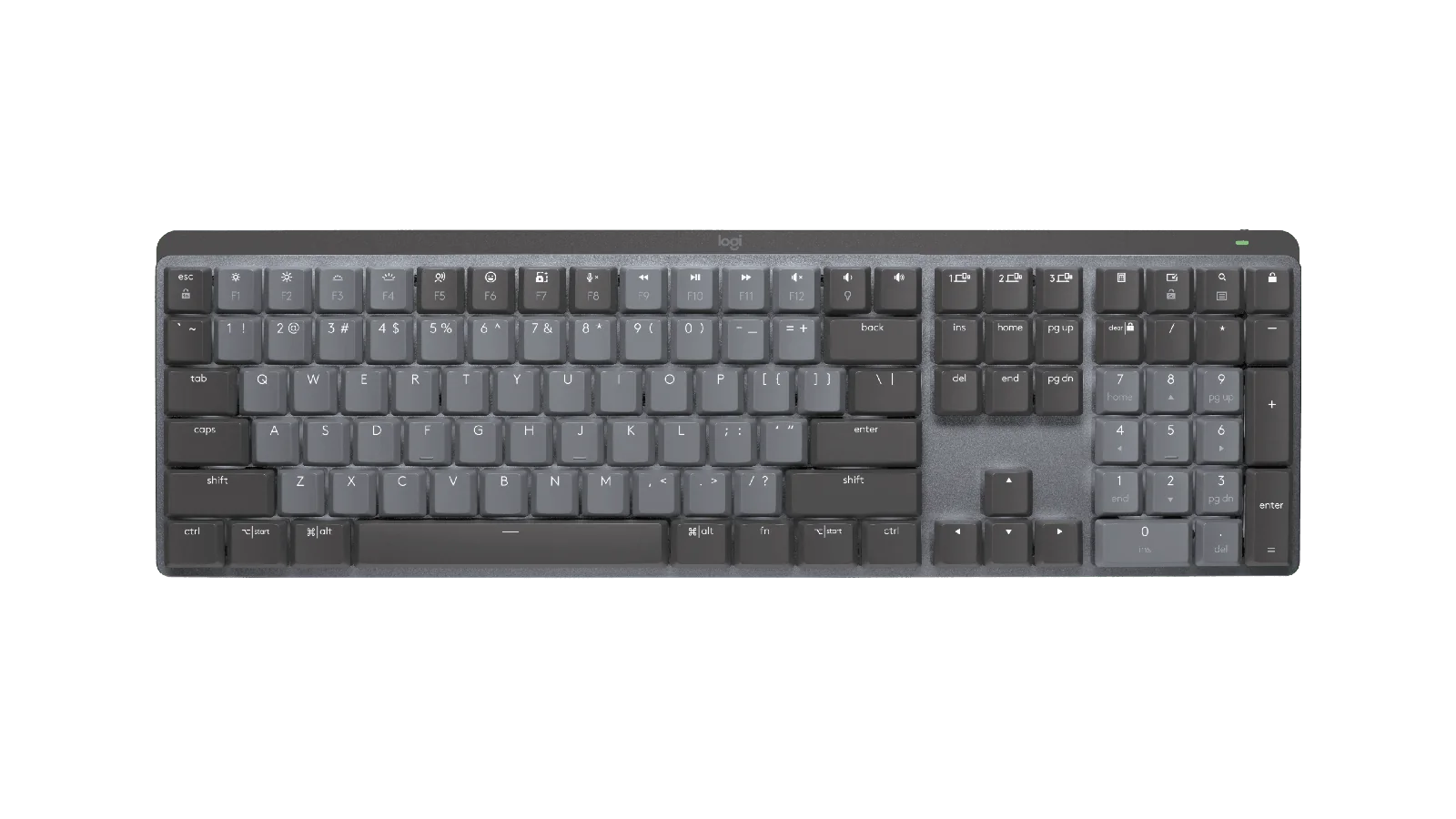
The Logitech MX Mechanical is a full-size low-profile wireless mechanical keyboard with a number pad, smart backlighting and three-device switching. Check the switches and the port before you buy: they are not hot-swappable, and the USB-C connection carries power only, with no wired data mode.
Strengths
- Tom’s Hardware found the typing feel excellent and measured 109 words per minute at 4% errors.
- RTINGS rates it highly for office use, build quality and wireless versatility.
- Easy-Switch moves between up to three devices, and Logi Options+ handles customization.
- Six lighting effects and an ambient-light sensor keep the backlight sensible.
- One owner reports more than three years of daily home-and-office use and remains satisfied.
Weaknesses
- The USB-C port is charging-only, so there is no wired USB data mode.
- The low-profile switches are soldered and not hot-swappable, making a failed switch hard to replace.
- Logitech lists no spare parts for MX Mechanical.
- RTINGS says the latency suits casual use but not competitive gaming.
- Owners report intermittent or dead keys, backlight faults and sleep/wake connection delays.
- The battery headline for the exact full-size US model is not directly exposed; only the Mini’s rating and a 500-hour low-battery figure are documented.
Verified specifications
| Type | full-size low-profile mechanical keyboard with an integrated number pad. |
|---|---|
| Switch options | Tactile Quiet, Clicky or Linear (US Graphite). |
| Connectivity | Logi Bolt or Bluetooth, with Easy-Switch for up to three devices. |
| OS support | Windows, macOS, ChromeOS, Linux and iPadOS. |
| Backlighting | ambient-light/proximity sensor with six lighting effects. |
| Charging | USB-C, power only; not a wired data connection. |
| Switches | low-profile mechanical, not hot-swappable. |
| Dimensions | 17.1 × 5.2 in, 0.7 in high flat and 1.02 in with the rear feet raised. |
| Weight | about 1.8 lb / 828 g. |
| Battery | after the low-battery threshold, more than 500 hours of typing with backlighting off (Logitech Support). |
| In the box | keyboard, Logi Bolt receiver, USB-C charging cable and documentation. |
Full research notes and sources
Typing and office use
Independent testing is positive for office work. RTINGS describes the keyboard as very good for office work, citing solid build quality, comfort and wireless versatility, while flagging gaming latency and some OS-specific key behavior. Tom’s Hardware found the typing experience excellent, especially after adapting to the low-profile layout, and measured 109 words per minute at 4% errors in its reviewer’s typing test versus that reviewer’s usual 100-105 words per minute. It also praised switching among three devices and Logi Options+.
Switches, parts and repair
The limitations are structural. The USB-C port is charging-only, so the keyboard cannot fall back to wired USB data mode. The switches are soldered and not hot-swappable, making a failed switch much harder to replace than on a service-friendly enthusiast board, and Logitech’s support page states there are no spare parts listed for MX Mechanical. Owner experience is mixed over the long term: some users report more than three years of daily use and still like the board, while others describe intermittent or dead keys, backlight and battery behavior, or sleep/wake connection lag over Logi Bolt. The reviewed evidence does not support a single failure-rate estimate, and because simple key failures are hard to repair, the non-hot-swappable design matters more once the warranty ends.
Gaming and connectivity
RTINGS says the latency is acceptable for casual gaming but not low enough for competitive reaction-based play. The keyboard covers Windows, macOS, ChromeOS, Linux and iPadOS, with Easy-Switch for up to three devices, and the backlight is driven by an ambient-light and proximity sensor. Logitech’s related Mini page states up to 15 days with backlighting or 10 months with backlighting off, but the exact full-size US battery headline was not directly exposed in the reviewed page text, so that rating is not assigned to this model here.
Which model this is
This page covers the full-size Logitech MX Mechanical Wireless Illuminated Performance Keyboard, not the compact MX Mechanical Mini or the Mac-specific Mini variant. The full-size US model is sold in Graphite with low-profile Tactile Quiet, Clicky or Linear switch options.
Sources
Manufacturer:
- Logitech US: MX Mechanical
- Logitech US: MX Mechanical Mini for Mac battery reference
- Logitech Support: Getting Started — MX Mechanical
Independent reviews:
Owner reports: