AULA F108 PRO Full-Size Wireless Mechanical Keyboard with Screen
By AULA · Mechanical Keyboards · Home & Workspace
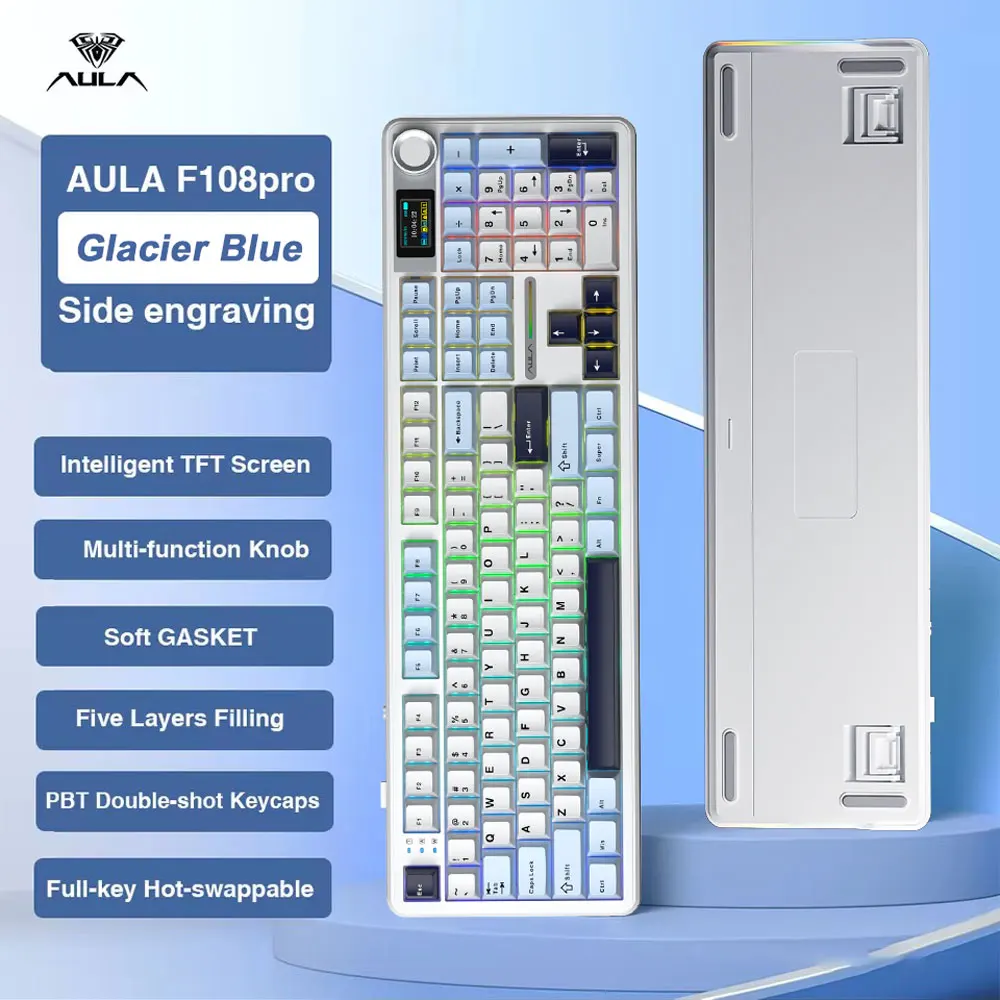
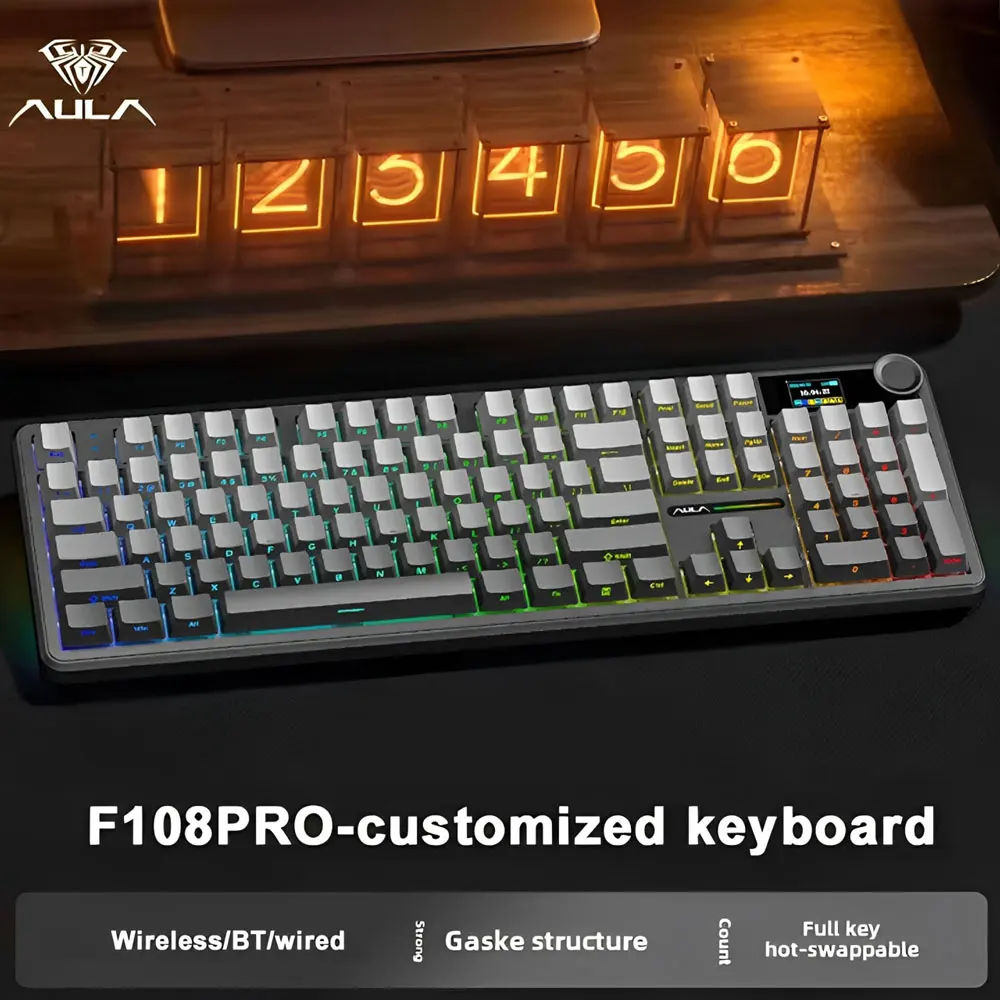
- Full-size mechanical layout with screen and rotary knob
- Wireless
Lowest price seen
$30.00
from $30.00 at Aula Gaming (Shopify) · Checked Oct 3, 2026
- Aula Gaming (Shopify) $30.00View at Aula Gaming (Shopify)
- AliExpress HONOR OPPO Store $84.14View at AliExpress
- AULA (aulagaming.com official store) $87.90View at AULA (aulagaming.com official store)
- Aula Gear $99.99View at Aula Gear
- eBayView at eBay
- WalmartView at Walmart
- Best BuyView at Best Buy
- TargetView at Target
- EpomakerView at Epomaker
- Aula KeyboardView at Aula Keyboard
- eBay (used) eBay: used, open-box, refurbishedView at eBay (used)
- AmazonView at Amazon
Prices are snapshots. Check the current price with the store.
Summary
A full-size wireless mechanical keyboard with a numpad, a 1.14-inch LCD, a rotary knob and an 8000 mAh battery, built for people who want the numpad and a soft, damped typing feel at budget-board prices. Check the seller’s warranty before you buy: coverage for the keyboard and coverage for the battery run to very different lengths.
Strengths
- Owners repeatedly praise the smooth, damped feel of the stock switches and caps.
- Numpad, tri-mode wireless and hot-swap sockets in one board is rare at this price.
- The 8000 mAh battery is large for a full-size, and the manual rates it past a month with lighting off.
- A puller and two spare switches ship in the box, so a bad switch is a quick swap.
- It keeps working while wired, so a flat battery does not end the board.
Weaknesses
- Multiple owners of this exact model report the battery gauge jumping, dropping fast in the first days, or the board shutting off the moment the cable comes out.
- Several owners in one r/aula thread report the LCD going permanently black while the keys kept working; factory resets did not help.
- Two owners report keys staying held after release, plus screen flicker and restarts, over 2.4 GHz in CS2 and Warzone.
- Configuration is effectively Windows-only, and the important screen and GIF functions want a wired connection.
- Knob behaviour is awkward, and one owner says the volume setting is lost after a power cycle.
- Battery coverage is much shorter than keyboard coverage, and it depends on the seller.
Verified specifications
| Layout | 104-key US full-size with numpad in the original manual and AULA’s regional pages; some retailer listings call it 108-key. |
|---|---|
| Connectivity | tri-mode — USB-C wired, 2.4 GHz wireless and Bluetooth 5.x. |
| Polling | 1000 Hz wired and 2.4 GHz, 125 Hz over Bluetooth. AULA claims 3 ms wired and 2.4 GHz and 15 ms Bluetooth; no independent instrumented test has been published. |
| Battery | 8000 mAh rechargeable lithium, charged over USB-C at 5 V under 1200 mA. The manual rates at least 32 hours with the default lighting and at least 76 hours with the backlight off. |
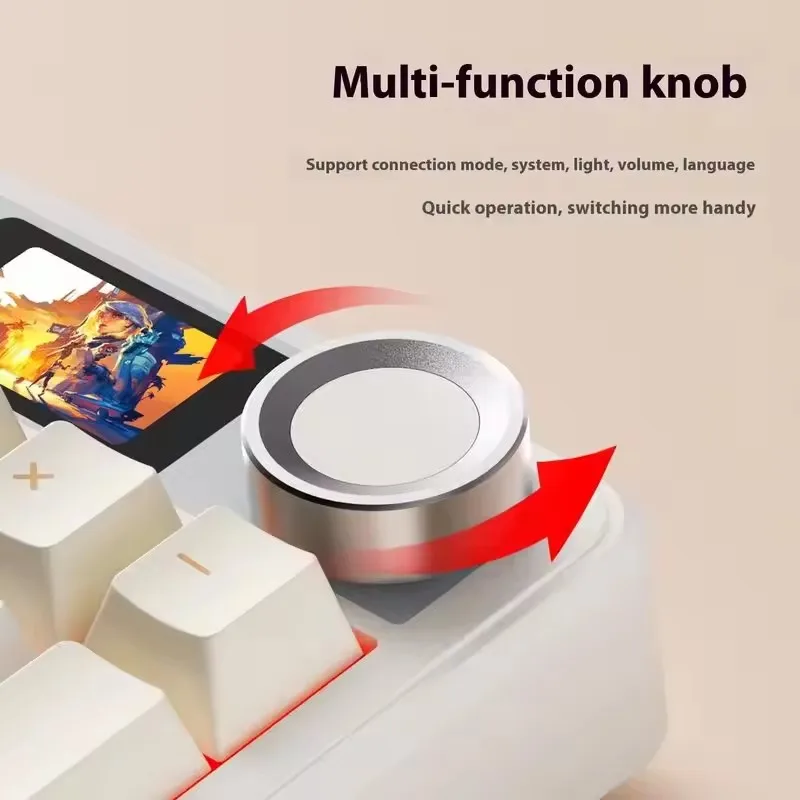
| Screen | 1.14-inch LCD with a rotary knob beside it. |
| Switches | hot-swappable PCB taking common 3-pin and 5-pin mechanical switches. |
| Lighting | south-facing per-key RGB, NKRO anti-ghosting. |
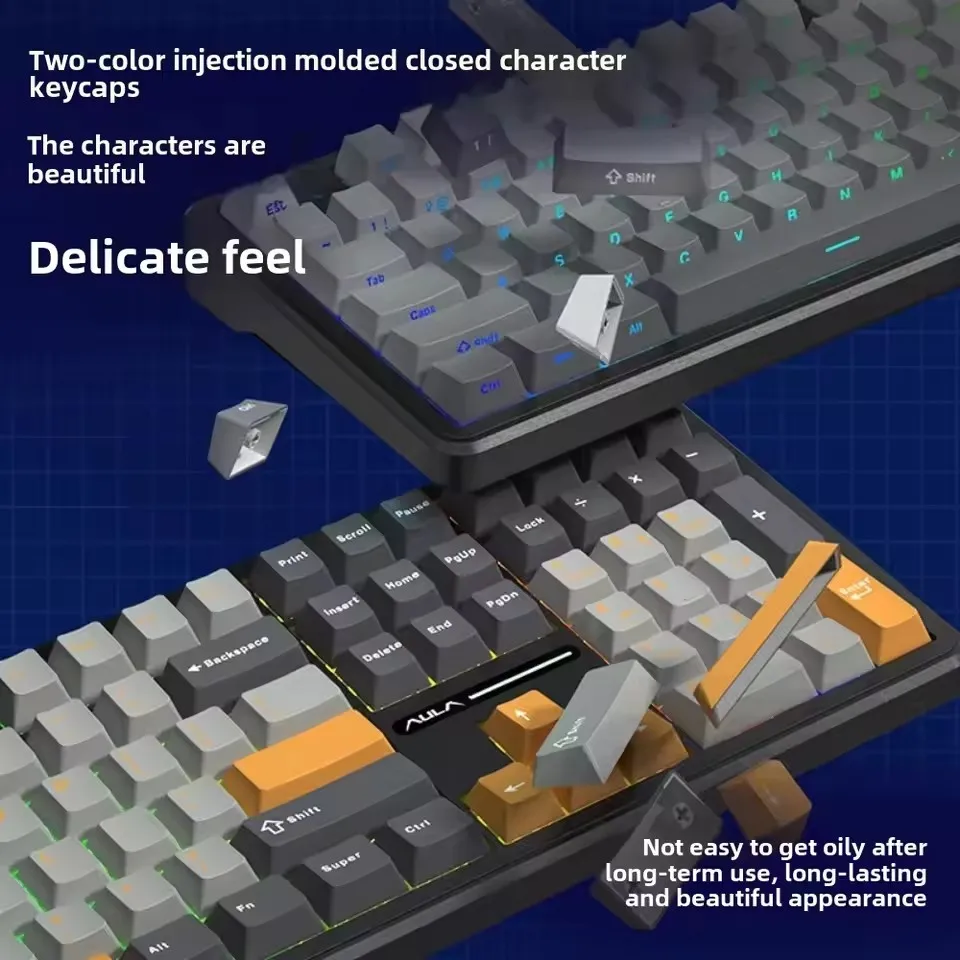
| Keycaps | PBT. Common variants are not shine-through, so the RGB sits under the caps instead of lighting the legends. |
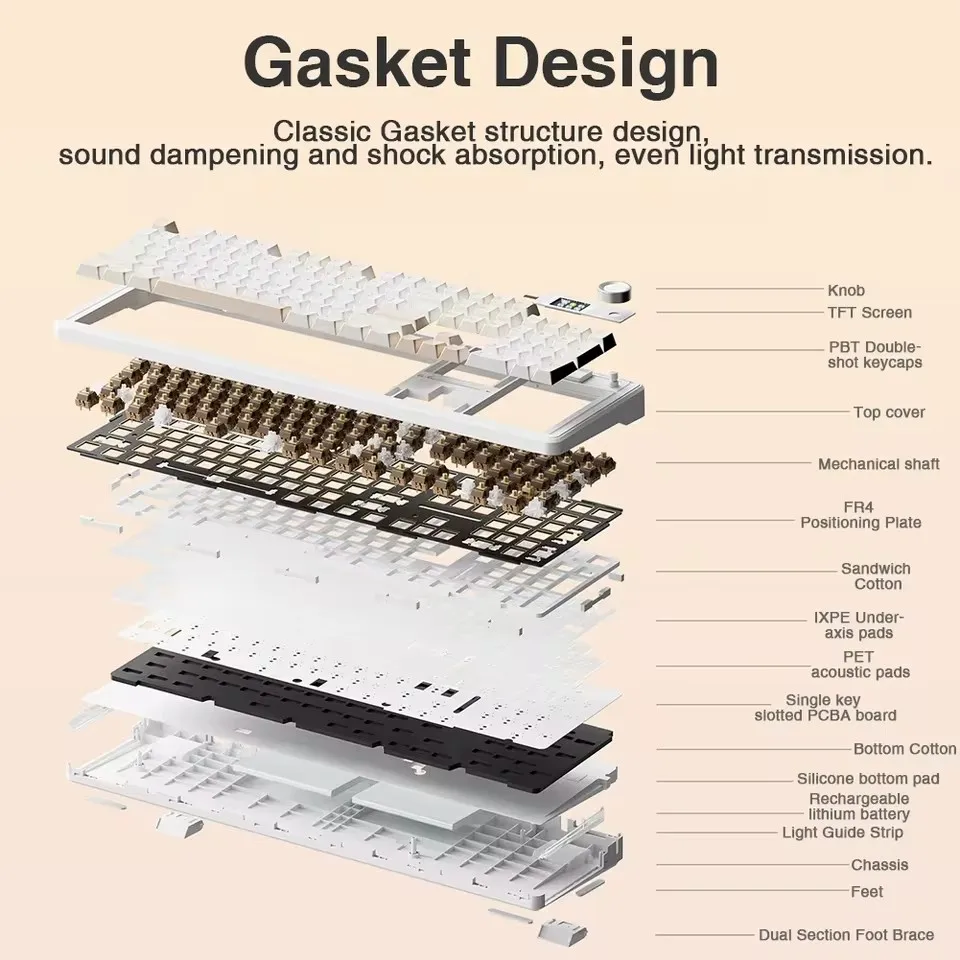
| Construction | gasket-mounted case with five internal sound-damping layers. |
| Materials | ABS plastic case, PC plate. |
| Wireless sleep | about five minutes idle, per the manual. |
| Dimensions | 445.17 × 141.47 × 42.93 mm. AULA Philippines lists the same board at 445.17 × 138.89 × 41.35 mm. |
| In the box | keyboard, USB-C cable, 2.4 GHz dongle, keycap and switch puller, two spare switches, manual. |
Full research notes and sources
Typing and build
Gasket mount, five damping layers and PBT caps add up to the soft, creamy feel owners describe. Nobody agrees on the weight: the manual says 1020 g, AULA Philippines says 978 g, and another manual revision puts it near 1202 g without the cable and dongle. Treat it as approximate. AULA’s manual also warns against fast phone chargers and suggests a computer USB port, since the board draws under 1200 mA at 5 V.
Screen, knob and wireless mode
The LCD and knob are the novelty, not the productivity upgrade. The knob mostly drives screen menus, and one owner can switch it to volume with FN but says that choice resets when the board powers down. The screen is where the polish slips: the software is Windows-only, the screen functions expect a wired connection, and one owner reported no display at all. Over 2.4 GHz in games, two owners report keys that keep firing after release, with flicker and restarts. The evidence is thin but specific to this model, so try it on your main game before you commit.
Battery life and owner reports
The manual rates the cell at at least 32 hours with default lighting and at least 76 hours with the backlight off. Some listings quote far longer lights-off figures; the manual number is the one to trust. Owners split. Several report the percentage jumping or plunging soon after setup, a short runtime, or the board dying as soon as it is unplugged, while others report normal multi-week behaviour on the same model. Nobody has published a failure rate, so treat the battery reports as a known annoyance rather than a proven defect, and buy from a seller with easy returns.
Is it worth it?
At the low end of what boards like this sell for, the hardware you get for the money is hard to match. Near the top of that range the software and quality-control gaps start to cost more than they save, and a board with better software and support is worth the difference. Judge the seller more than the spec sheet: hot-swap sockets make switches and keycaps cheap to replace, but a failed battery or LCD outside warranty is the real money risk. Store reviews include an isolated report of a board that failed after about half an hour with poor first-line support.
Warranty length is set by the seller, not one manufacturer policy. The manual states 12 months of free maintenance, and AULA Gear separately lists 12 months for keyboards and only 3 months for batteries. AULAGAMING’s US store advertises2 years on orders placed through it, with unusable units replaced within 365 days. Marketplace purchases go to the seller or distributor instead.
Which model this is
This is the original F108 PRO with the 8000 mAh battery, ASIN B0F2MNWCB6. Newer F108 PRO V2 listings advertise 10000 mAh and 8 kHz polling; that is a different revision, so their figures do not apply. Don’t confuse it with the base F108 either. Hot-swap sockets, keycaps and switches are standard consumables you can service yourself. The battery, the LCD and the rest of the internal electronics are not sold as user-replaceable parts.
Sources
Manufacturer:
- AULA Gear — F108 Pro user manual
- AULA Gear — F108 Pro product and download page
- AULAGAMING — F108 Pro product page and US warranty terms
- AULA Philippines — F108 Pro product page
- AULA Uzbekistan — F108 Pro product page
- EPOMAKER — AULA F108 Pro listing
- manuals.plus — F108 Pro manual
- manuals.plus — F108 Pro manual, second revision
Independent reviews:
Owner reports:
- Battery issue with the F108 Pro (r/aula)
- Owners reporting screens going black (r/aula)
- F108 Pro issues thread (r/aula)
- Help configuring an F108 Pro (r/keyboards)
- 2.4 GHz screen flicker and stuck keys in games (r/keyboards)
- Owner discussion of the F108 Pro (r/keyboards)
- No screen display on the F108 Pro (r/keyboards)
- F108 Pro owner thread (r/keyboards)
- FN key behaviour problems (r/keyboards)
- Battery indicator problems (r/keyboards)